Tag: LocalAI

  • The Claw Closes on Users

    Always-on agents just hit the limits of compute, cost, and control

    by Tony Thomas

    The OpenClaw situation is a warning shot for enthusiasts of always-on agents.

    On April 4, 2026, Anthropic changed how Claude subscriptions work with third-party harnesses such as OpenClaw. They no longer cover unlimited use of agents on flat-rate plans. Sure, you can still run them, but now you must pay through API billing or usage bundles. Anthropic said the increased use of OpenClaw and similar harnesses placed strain on their systems and did not resemble normal subscription traffic. 

    Why OpenClaw Became So Popular

    OpenClaw and its derivatives took off because they turn models into agentic workers. They run locally, connect to frontier models, and execute tasks across apps and time zones. The emphasis is on persistence rather than chat or one-off prompts. Even when you are sleeping, your squad of agents keeps working in the background.  That autonomy makes it expensive.

    While a chat stops, an agent keeps going. It plans, retries, summarizes, calls tools, and loops. Left alone, it keeps burning tokens at a steady rate. Flat subscriptions were built for short bursts, not waves of activity, so the mismatch is inevitable.

    The OpenAI Hire Changes the Context

    In February 2026, OpenClaw’s creator, Peter Steinberger, joined OpenAI to work on personal agents. Around the same time, OpenClaw moved to an independent open source foundation supported by OpenAI. Weeks later, Anthropic removed OpenClaw and similar harnesses from subscription coverage. The timing adds context, and the sequence is hard to ignore.

    Third-party harnesses sit comfortably between users and models. They decide when to call the model and how long to loop. That makes demand unpredictable. Metered pricing restores control. It also shifts profit back to the labs.

    Subscription Pricing vs Agent Reality

    Of course, this extends beyond OpenClaw. Other third-party harnesses still work, but they no longer ride on flat plans, and usage is metered. Continuous agent use now requires continuous payments.

    Agent workflows scale with time. Leave them running, and they keep consuming compute. Tools that manage email, calendars, and tasks generate a steady load. Infrastructure built for interactive requests handles spikes. It struggles with constant demand.  And there is only so much compute to go around.

    Flat pricing assumes pauses. Agents remove pauses. That is the core conflict.

    The Reaction From the Community

    Part of what pushed me to write this was the reaction from developers building agent-driven workflows. A video from Network Chuck captured the frustration. He described receiving notice that subscription coverage for tools like OpenClaw was ending. Many users chose Claude for that flexibility. 

    Chuck also suggested the move came down to infrastructure strain or subsidized usage. His tone was jarring. These are no longer experiments. People are wiring agents into daily systems. Pricing changes are a gut punch.  And it puts strain on people’s businesses and their lives. 

    Platform Control Is the Bigger Story

    This also looks like a shift toward increased platform restraint. Labs are not just shipping models anymore. They are building full agent stacks that include orchestration, tools, scheduling, and memory.  The trend is now in creating packaged solutions rather than just doling out compute.

    Third-party harnesses sit outside that stack. They drive loops that the provider can no longer control. Moving orchestration inside the platform limits runaway usage and stabilizes demand. It also centralizes the agent layer.

    Security and Autonomy Tradeoffs

    Autonomous agents often need wide system access. They read files, trigger actions, and move across apps. That expands risk. Prompt injection becomes more dangerous. Automation mistakes scale faster. 

    Data exposure increases. And runaway agents can burn tokens and suck up compute at alarming rates. Provider-controlled agents reduce some of that surface area. Less freedom. More guardrails.

    The Local Hardware Escape Hatch Is Closing

    Local inference once looked like the perfect workaround. You could buy hardware, run open models, and skip token costs.

    That window narrowed quickly. GPU demand surged. High-VRAM cards became expensive. Plus, larger setups require power, cooling, and upkeep. Lots of power.  Even modest rigs add ongoing cost.

    As a result, local inference stops looking like a lower-cost alternative. It becomes a large capital expenditure plus ongoing operating expenses. Continuous agents amplify both.

    Between Cloud Tokens and Local Hardware

    This leaves an awkward middle path.

    Cloud models get expensive when they run constantly, and local hardware that can replace them is also expensive. Neither side offers a cheap solution.

    Agentic workflows push requirements higher. Longer context. More frequent calls. Increased tool usage. Small local models can route or filter, but full autonomy still requires frontier models.

    So the compromise is a hybrid. You run lightweight steps locally, call frontier models when needed, add budgets, and limit loops. It works, but autonomy shrinks.

    Using fully local agents becomes harder. Cheap cloud agents are fading. That is the dilemma.

    The End of Cheap Unlimited Agents

    This is not the end of agentic AI. It is the end of cheap, unlimited agents.

    OpenClaw still runs. It just pays for what it uses. If it runs all day. And the meter runs all day.

    That pushes designs toward boundaries such as budgets, step limits, and event-driven triggers. 

    Hybrid stacks become more common, with smaller models handling planning and frontier models handling heavier reasoning. 

    The goal shifts from autonomy to efficiency.

    What Happens Next

    The OpenAI hire underscores how central orchestration has become. Agentic control is now the center of the red-hot competition between labs.

    OpenClaw did not fail. It just exposed the economics. Always-on agents turn models into infrastructure. Infrastructure costs money. Subscriptions blur that cost. Metering makes it visible.

    Expect more tightening, higher prime time rates, fewer open loops, more bounded agents, and more hybrid setups.

    Letting agents run forever in the background at a massive scale was always untenable. And the math finally caught up.
  • How I Use AI in My Writing Process – From Brainstorming to Final Polish

    by Tony Thomas

    People have asked me how AI fits into my writing process. Although I’m still fairly new at using AI tools, they have already become an integral part of my workflow. In this article, I’ll walk you through how I use AI, from the first idea to the final edit.

    The Role of AI in My Writing Workflow

    I’ve been stuck staring at a blank page before. I’ve had that sinking feeling when I know I should be writing, but nothing comes to mind. That’s where AI truly shines. I’ll throw a few keywords or concepts into an AI tool, and within seconds, it generates a flurry of ideas and a basic structure. It’s like having a co-writer who’s always ready, offering fresh angles and unexpected connections.

    But AI isn’t just great for brainstorming. When I need to gather facts from diverse sources, such as academic journals, blogs, or news sites, I can pull data from the web and use AI to synthesize it and present it in a clean, organized format. This saves me hours scrolling through pages of content. AI does the heavy lifting, saving me time and ensuring I’m grounded in accurate, up-to-date information.

    Making My Life Easier with AI Tools

    Research can be a nightmare, especially when dealing with dense, technical material. That’s where data summarization comes in. I can paste a paragraph or article into an AI tool, and within seconds, it distills the key points into a concise, readable summary.

    Sometimes, gaps appear in my narrative. Data interpolation helps here as well. AI suggests plausible, consistent ways to fill those gaps, maintaining narrative flow and coherence. Of course, it’s not perfect. I still need to edit and revise. But it gives me a solid foundation to work from, saving me from creative dead ends.

    Building the Outline with Help from AI

    Outlining has always been a painful and tedious process for me. Now, I can toss a central idea into an LLM and let it generate a basic outline with clear sections, subtopics, and flow. It’s not a finished product. It’s just a scaffold. This gives me structure without the pressure of planning every detail from the start. It’s a smart, flexible starting point that actually makes writing feel less overwhelming.

    Drafting My Thoughts 

    Once I have my outline, I let AI generate a first draft. I feed the outline and a few guiding prompts into LM Studio or Ollama, and it produces a coherent, flowing piece. But here’s the key: I never submit this as the final version. I edit it heavily, reshaping sentences, adjusting tone, and adding my own voice and personality. It’s not about replacing my creativity; it just provides a starting point.

    Polishing My Work 

    Editing is where AI truly becomes a partner. I often run my draft through various AI models and allow them to check grammar, sentence structure, tone, and consistency. They catch awkward phrasing, repetitive language, and even subtle inconsistencies in voice. I use them to refine flow, tighten arguments, and elevate the overall quality. I compare the output from various models and select the best one for the project. That said, I always step in to ensure the piece reflects my voice and style.

    How AI Has Changed My Writing Life

    AI isn’t replacing me. It’s merely amplifying what I already do best. From sparking ideas to refining drafts, it has become an essential part of my writing workflow. It makes the process faster, smoother, and more efficient. If you’re a writer who’s still hesitant about AI, I would say: give it a try. You might be surprised at how much it helps.

    My Tips for Using AI Without Losing Your Voice

    – Use AI as a tool, not a replacement.

    – Always revise and personalize the output.

    – Set clear boundaries. Use prompting to define tone, style, and intent from the start.

    – Keep your unique voice central. AI can mimic style, but it can’t replicate your experience and perspective.

    – Iterate, don’t just accept. Run drafts through AI multiple times, but take ownership of the final version.

    – AI doesn’t take over. It empowers. When used wisely, it becomes a silent, intelligent collaborator in your writing journey. And that’s exactly what I’ve come to rely on.

    How I Wrote This Article

    I came up with a short list of basic ideas and fed them into Qwen 3 14B. It produced a more refined and detailed outline. Next, I used Qwen 2507 4B for drafting. After heavy rewriting, I then used Qwen 2.5 14B Instruct with prompting to polish the final draft, which I refined and edited. The entire project was completed on my Mac Mini M4 base model using LM Studio.

  • The Case for a $600 Local LLM Machine

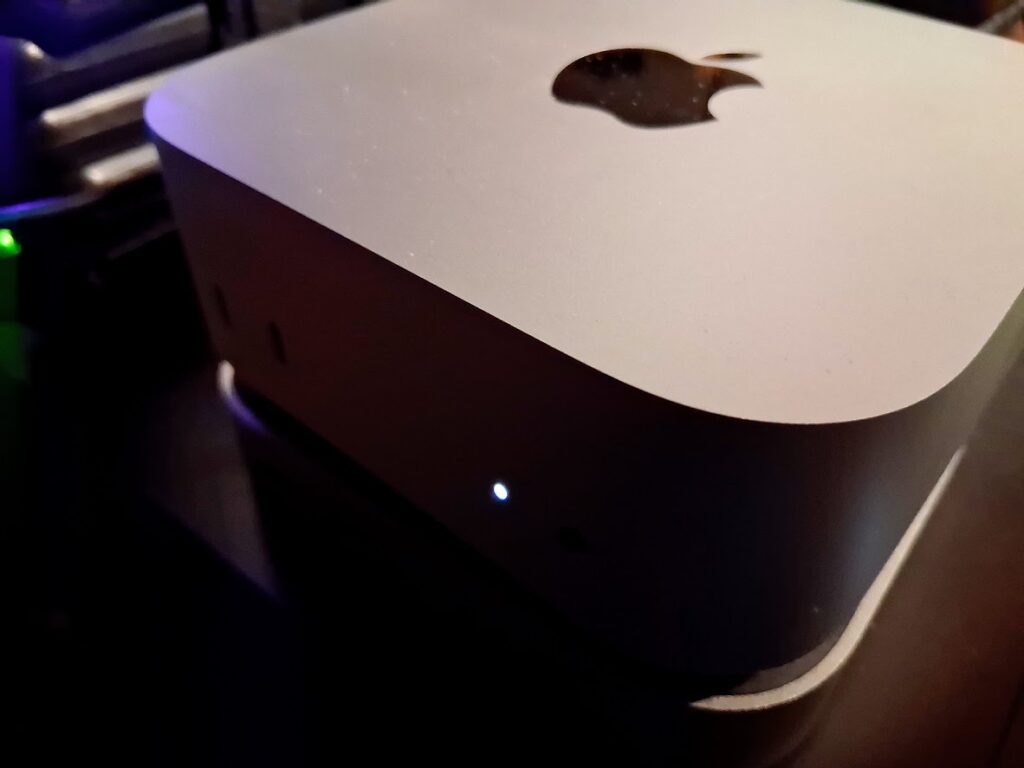
    Using the Base Model Mac mini M4

    by Tony Thomas

    It started as a simple experiment. How much real work could I do on a small, inexpensive machine running language models locally?

    With GPU prices still elevated, memory costs climbing, SSD prices rising instead of falling, power costs steadily increasing, and cloud subscriptions adding up, it felt like a question worth answering. After a lot of thought and testing, the system I landed on was a base model Mac mini M4 with 16 GB of unified memory, a 256 GB internal SSD, a USB-C dock, and a 1 TB external NVMe drive for model storage. Thanks to recent sales, the all-in cost came in right around $600.

    On paper, that does not sound like much. In practice, it turned out to be far more capable than I expected.

    Local LLM work has shifted over the last couple of years. Models are more efficient due to better training and optimization. Quantization is better understood. Inference engines are faster and more stable. At the same time, the hardware market has moved in the opposite direction. GPUs with meaningful amounts of VRAM are expensive, and large VRAM models are quietly disappearing. DRAM is no longer cheap. SSD and NVMe prices have climbed sharply.

    Against that backdrop, a compact system with tightly integrated silicon starts to look less like a compromise and more like a sensible baseline.

    Why the Mac mini M4 Works

    The M4 Mac mini stands out because Apple’s unified memory architecture fundamentally changes how a small system behaves under inference workloads. CPU and GPU draw from the same high-bandwidth memory pool, avoiding the awkward juggling act that defines entry-level discrete GPU setups. I am not interested in cramming models into a narrow VRAM window while system memory sits idle. The M4 simply uses what it has efficiently.

    Sixteen gigabytes is not generous, but it is workable when that memory is fast and shared. For the kinds of tasks I care about, brainstorming, writing, editing, summarization, research, and outlining, it holds up well. I spend my time working, not managing resources.

    The 256 GB internal SSD is limited, but not a dealbreaker. Models and data live on the external NVMe drive, which is fast enough that it does not slow my workflow. The internal disk handles macOS and applications, and that is all it needs to do. Avoiding Apple’s storage upgrade pricing was an easy decision.

    The setup itself is straightforward. No unsupported hardware. No hacks. No fragile dependencies. It is dependable, UNIX-based, and boring in the best way. That matters if you intend to use the machine every day rather than treat it as a side project.

    What Daily Use Looks Like

    The real test was whether the machine stayed out of my way.

    Quantized 7B and 8B models run smoothly using Ollama and LM Studio. AnythingLLM works well too and adds vector databases and seamless access to cloud models when needed. Response times are short enough that interaction feels conversational rather than mechanical. I can draft, revise, and iterate without waiting on the system, which makes local use genuinely viable.

    Larger 13B to 14B models are more usable than I expected when configured sensibly. Context size needs to be managed, but that is true even on far more expensive systems. For single-user workflows, the experience is consistent and predictable.

    What stood out most was how quickly the hardware stopped being the limiting factor. Once the models were loaded and tools configured, I forgot I was using a constrained system. That is the point where performance stops being theoretical and starts being practical.

    In daily use, I rotate through a familiar mix of models. Qwen variants from 1.7B up through 14B do most of the work, alongside Mistral instruct models, DeepSeek 8B, Phi-4, and Gemma. On this machine, smaller Qwen models routinely exceed 30 tokens per second and often land closer to 40 TPS depending on quantization and context. These smaller models can usually take advantage of the full available context without issue.

    The 7B to 8B class typically runs in the low to mid 20s at context sizes between 4K and 16K. Larger 13B to 14B models settle into the low teens at a conservative 4K context and operate near the upper end of acceptable memory pressure. Those numbers are not headline-grabbing, but they are fast enough that writing, editing, and iteration feel fluid rather than constrained. I am rarely waiting on the model, which is the only metric that actually matters for my workflow.

    Cost, Power, and Practicality

    At roughly $600, this system occupies an important middle ground. It costs less than a capable GPU-based desktop while delivering enough performance to replace a meaningful amount of cloud usage. Over time, that matters more than peak benchmarks.

    The Mac mini M4 is also extremely efficient. It draws very little power under sustained inference loads, runs silently, and requires no special cooling or placement. I routinely leave models running all day without thinking about the electric bill.

    That stands in sharp contrast to my Ryzen 5700G desktop paired with an Intel B50 GPU. That system pulls hundreds of watts under load, with the B50 alone consuming around 50 watts during LLM inference. Over time, that difference is not theoretical. It shows up directly in operating costs.

    The M4 sits on top of my tower system and behaves more like an appliance. Thanks to my use of a KVM, I can turn off the desktop entirely and keep working. I do not think about heat, noise, or power consumption. That simplicity lowers friction and makes local models something I reach for by default, not as an occasional experiment.

    Where the Limits Are

    The constraints are real but manageable. Memory is finite, and there is no upgrade path. Model selection and context size require discipline. This is an inference-first system, not a training platform.

    Apple Silicon also brings ecosystem boundaries. If your work depends on CUDA-specific tooling or experimental research code, this is not the right machine. It relies on Apple’s Metal backend rather than NVIDIA’s stack. My focus is writing and knowledge work, and for that, the platform fits extremely well.

    Why This Feels Like a Turning Point

    What surprised me was not that the Mac mini M4 could run local LLMs. It was how well it could run them given the constraints.

    For years, local AI was framed as something that required large amounts of RAM, a powerful CPU, and an expensive GPU. These systems were loud, hot, and power hungry, built primarily for enthusiasts. This setup points in a different direction. With efficient models and tightly integrated hardware, a small, affordable system can do real work.

    For writers, researchers, and independent developers who care about control, privacy, and predictable costs, a budget local LLM machine built around the Mac mini M4 no longer feels experimental. It is something I turn on in the morning, leave running all day, and rely on without thinking about the hardware.

    More than any benchmark, that is what matters.