Tag: AI Assisted Writing

  • How AI Made Me a Better Writer

    by Tony Thomas

    Most people treat AI as a writing machine. Just feed it a prompt, push a button, and collect a draft. This is freedom or a prison cell, depending on who you ask.

    After a year working with these tools, I disagree. Generating text is the least interesting thing AI does. Reading mine back to me is the most interesting.

    This reframing changed everything for me. I stopped using AI as a content shortcut. I started using it as a critical editor, a diagnostic tool, and even a writing teacher. The more I relied on it for analysis rather than generation, the sharper my own prose became.

    AI Became a Mirror

    Seeing your own patterns clearly is one of writing’s hardest challenges. Habits calcify. After twenty readings, your brain auto-completes gaps. Repetition vanishes into the blur. Weak transitions feel smooth because you already know the destination. Structural flaws hide behind your intentions.

    AI broke that spell. It gave me an outside eye. I fed drafts into different models with questions that few people seemed to ask. Not “Rewrite this” or “Make this better.” Instead: “Where does the pacing slow?” “Which rhetorical habits recur too often?” “What sections land flat emotionally?” “What assumptions lack evidence?” “What persona does this prose project?”

    The answers stung. Models flagged sentence openings I had stopped seeing. They caught filler transitions that had grown invisible. They identified places where I overexplained instead of trusting the reader. They caught repetition, weak verbs, and bloat. But they also spotted strengths: clarity, conversational rhythm, and solid conceptual framing. Knowing what to preserve proved as valuable as knowing what to cut.

    The Real Power Is Analytical, Not Generative

    Public debate still fixates on automation. Can it write articles? Novels? Can it replace human writers? Can you just wire up N8N to generate great prose? These questions ignore the deeper opportunity. The real value is not generation at all. It is accelerated feedback.

    Traditionally, writers improve through editors, workshops, repeated drafts, and years of pattern recognition. That process remains irreplaceable. But AI compresses the feedback loop. You can test tone, structure, pacing, logic, and rhetorical consistency in minutes. You can attack a draft from several angles and sift useful criticism from the noise.

    This is not outsourcing judgment. It only intensifies your demand for it. Properly used, AI stops being a ghostwriter and becomes a relentless analytical partner.

    The Techniques That Helped Me Most

    I got the best results from analytical prompts, not production commands.

    Structural analysis came first. I asked models to map an article’s logic and flow. Where does the argument buckle? Where does momentum stall? Which sections repeat? Is the emotional arc flat? Writers dread the “sagging middle.” AI detects that drift precisely because it can evaluate the whole shape at once.

    Stylistic auditing proved equally valuable. I had models hunt for repetitive phrasing, overused adjectives, passive constructions, pacing lulls, and tonal drift. The most revealing exercise was asking AI to describe the prose’s personality. The answer showed me how the writing actually landed, not how I imagined it landed. That gap hurts. That is where craft improves.

    Comparative analysis helped, provided I treated it as study rather than mimicry. I never wanted to “write like” another author. I wanted to understand mechanics. Why does one paragraph feel tighter? Why does another feel immediate? Why does one transition flow while another clunks? Done right, comparison teaches craft without producing copies.

    Building My Own Analytical Tools

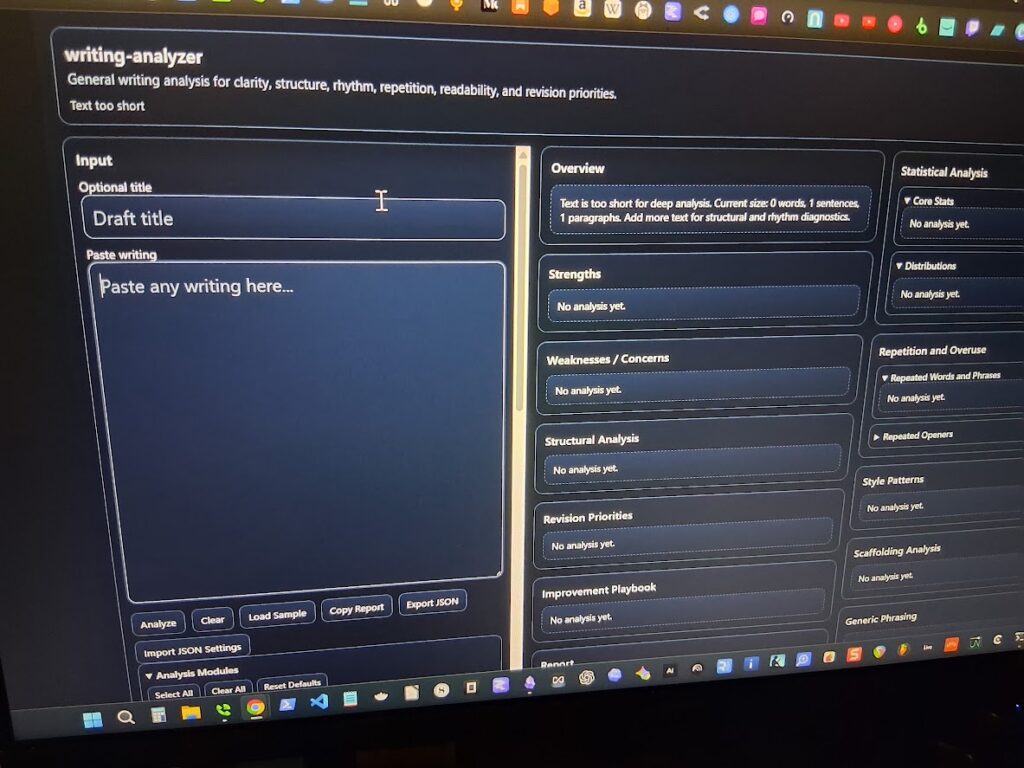
    Over time, I pushed this process further by building my own tools around it. I coded systems that use heuristics, regex pattern detection, stylistic checks, and layered analysis to examine my drafts (and LLMs) more rigorously than a general prompt can.

    The goal was never full automation. It was controlled analysis.

    I wanted tools that could flag repetitive structures, pacing drift, rhetorical crutches, overused transitions, sentence rhythm problems, and other patterns that weaken prose over time. I also tested those tools against my own writing to make sure they stayed aligned with my actual voice instead of nudging everything toward generic AI polish.

    That distinction matters. AI-assisted writing can easily become voice erosion if the writer stops paying attention. My process works because I remain the final editor. I review the findings. I decide what matters. I manually revise the prose. The tools can surface patterns, but they cannot decide what belongs in the final piece.

    So yes, AI has made me faster. It has improved my productivity. But speed is not the point. The human element remains. The tools help me see the work more clearly; they do not replace the judgment required to finish it.

    AI Exposed My Blind Spots

    As a rule, writers are lousy judges of their own work. We fall in love with sentences, structures, and ideas. We defend weak sections because we remember the sweat. AI feels no attachment to the labor. Its criticism cuts clean.

    It spotted my rambling. It flagged stacks of abstractions. It caught the same idea wearing different clothing. Most unsettling, it revealed when my own prose had started to mimic AI-generated cadences after too much exposure. Spend enough time with these systems and you recognize their tics. You can also absorb them unconsciously.

    Analytical use built immunity. Seeing the patterns clearly made them easier to resist. The same engine that spouts generic prose can spot it, including in your own draft.

    The Human Still Matters

    None of this replaces the writer. It amplifies the role. As AI lowers the barrier to producing text, human discernment gains value. Taste sharpens. Judgment deepens. Structure carries more weight. Original thought and lived experience set it apart.

    The writers who benefit will not use AI to avoid thinking. They will use it to scrutinize their own work more closely. That is the big change. AI did not make writing effortless. It made my weaknesses impossible to ignore.

    Final Thoughts

    AI did not make me obsolete. It made me deliberate.

    I now draft with a clearer sense of my own habits. Where I bog down. Where I overwrite. Where my rhythm flags. I revise faster because feedback loops that once took years to develop now close in minutes. I make sharper structural choices because I have tested the bones of the piece against an outside eye.

    The real value lies not in outsourcing the work, but in refusing to outsource the judgment. Every time I run an analytical prompt, I am forced to decide what stays, what goes, and why. That discipline means looking at my own prose with the same rigor I would apply to someone else’s. That is what AI taught me. It turned the editing impulse inward, and that shift has made all the difference.

  • My Real Workflow for Writing a Book with AI

    by Tony Thomas

    I just published a short nonfiction book, and yes, I used AI to help write it. Not in the way most people think, and not in the way that’s flooding Amazon with empty books right now.

    I didn’t prompt “write me a book” and hit publish. That approach produces clean, readable content that sounds right and delivers nothing. I’ve bought enough of those to recognize the pattern quickly, and that experience is the reason this project exists in the first place.

    This started with a real idea. I’ve bought over 1,000 nonfiction books on Kindle, and after a while, the patterns become obvious. Some go deep and hold up. Others look solid on the surface and fall apart within a few pages. That gap became the core of the book, a fast filter to avoid wasting time on weak nonfiction, and it shaped how I approached the entire writing process.

    I built the structure myself. Outline first, then chapters, then flow. Each section had a job and a clear connection to the next, so I always knew what the piece needed to do before I wrote a single paragraph. AI came in after that, not before, and I used it in controlled passes to expand rough notes into readable sections, tighten language, and check consistency across chapters. It helped me move faster, but it never made the decisions.

    The real work was editing, and this is where most AI-assisted writing falls apart. AI produces smooth writing very quickly, which makes it easy to confuse flow with substance. I don’t trust that. I stop on every section and ask a direct question. Does this actually say anything? If a paragraph feels interchangeable, I cut it or rewrite it until it carries weight.

    I also ran analysis passes using my own tools to flag repetition, weak verbs, and generic phrasing. That gave me clear targets, but the fixes were still manual or handled with very specific prompts. That combination matters more than the generation step, because it’s where the difference between usable and empty shows up.

    The final book is short, about 7,000 words, but it’s tight. No filler, no padding, no stretched ideas. That’s a deliberate choice, and it reflects how I think about nonfiction now. I care more about signal than volume.

    Here’s my takeaway after doing this. AI makes it easy to produce a book, but it does not make it easy to produce a good one. If anything, it raises the standard for editing because the baseline output already looks finished. I’ve seen what happens when people skip that step, and I’m not interested in publishing something that just looks complete.

    So the decision is simple. Use AI as a structured collaborator and bring your own judgment, or accept that the output will be shallow, no matter how polished it looks. That’s the tradeoff.

    If you want to see what that looks like in practice, I put the system into a short book called Stop Buying Bad Books: A 60-Second System for Finding Nonfiction That Actually Delivers. It’s $2.99, and if you read nonfiction regularly, it will save you more than that the first time you skip a bad buy.

  • How I Use AI in My Writing Process – From Brainstorming to Final Polish

    by Tony Thomas

    People have asked me how AI fits into my writing process. Although I’m still fairly new at using AI tools, they have already become an integral part of my workflow. In this article, I’ll walk you through how I use AI, from the first idea to the final edit.

    The Role of AI in My Writing Workflow

    I’ve been stuck staring at a blank page before. I’ve had that sinking feeling when I know I should be writing, but nothing comes to mind. That’s where AI truly shines. I’ll throw a few keywords or concepts into an AI tool, and within seconds, it generates a flurry of ideas and a basic structure. It’s like having a co-writer who’s always ready, offering fresh angles and unexpected connections.

    But AI isn’t just great for brainstorming. When I need to gather facts from diverse sources, such as academic journals, blogs, or news sites, I can pull data from the web and use AI to synthesize it and present it in a clean, organized format. This saves me hours scrolling through pages of content. AI does the heavy lifting, saving me time and ensuring I’m grounded in accurate, up-to-date information.

    Making My Life Easier with AI Tools

    Research can be a nightmare, especially when dealing with dense, technical material. That’s where data summarization comes in. I can paste a paragraph or article into an AI tool, and within seconds, it distills the key points into a concise, readable summary.

    Sometimes, gaps appear in my narrative. Data interpolation helps here as well. AI suggests plausible, consistent ways to fill those gaps, maintaining narrative flow and coherence. Of course, it’s not perfect. I still need to edit and revise. But it gives me a solid foundation to work from, saving me from creative dead ends.

    Building the Outline with Help from AI

    Outlining has always been a painful and tedious process for me. Now, I can toss a central idea into an LLM and let it generate a basic outline with clear sections, subtopics, and flow. It’s not a finished product. It’s just a scaffold. This gives me structure without the pressure of planning every detail from the start. It’s a smart, flexible starting point that actually makes writing feel less overwhelming.

    Drafting My Thoughts 

    Once I have my outline, I let AI generate a first draft. I feed the outline and a few guiding prompts into LM Studio or Ollama, and it produces a coherent, flowing piece. But here’s the key: I never submit this as the final version. I edit it heavily, reshaping sentences, adjusting tone, and adding my own voice and personality. It’s not about replacing my creativity; it just provides a starting point.

    Polishing My Work 

    Editing is where AI truly becomes a partner. I often run my draft through various AI models and allow them to check grammar, sentence structure, tone, and consistency. They catch awkward phrasing, repetitive language, and even subtle inconsistencies in voice. I use them to refine flow, tighten arguments, and elevate the overall quality. I compare the output from various models and select the best one for the project. That said, I always step in to ensure the piece reflects my voice and style.

    How AI Has Changed My Writing Life

    AI isn’t replacing me. It’s merely amplifying what I already do best. From sparking ideas to refining drafts, it has become an essential part of my writing workflow. It makes the process faster, smoother, and more efficient. If you’re a writer who’s still hesitant about AI, I would say: give it a try. You might be surprised at how much it helps.

    My Tips for Using AI Without Losing Your Voice

    – Use AI as a tool, not a replacement.

    – Always revise and personalize the output.

    – Set clear boundaries. Use prompting to define tone, style, and intent from the start.

    – Keep your unique voice central. AI can mimic style, but it can’t replicate your experience and perspective.

    – Iterate, don’t just accept. Run drafts through AI multiple times, but take ownership of the final version.

    – AI doesn’t take over. It empowers. When used wisely, it becomes a silent, intelligent collaborator in your writing journey. And that’s exactly what I’ve come to rely on.

    How I Wrote This Article

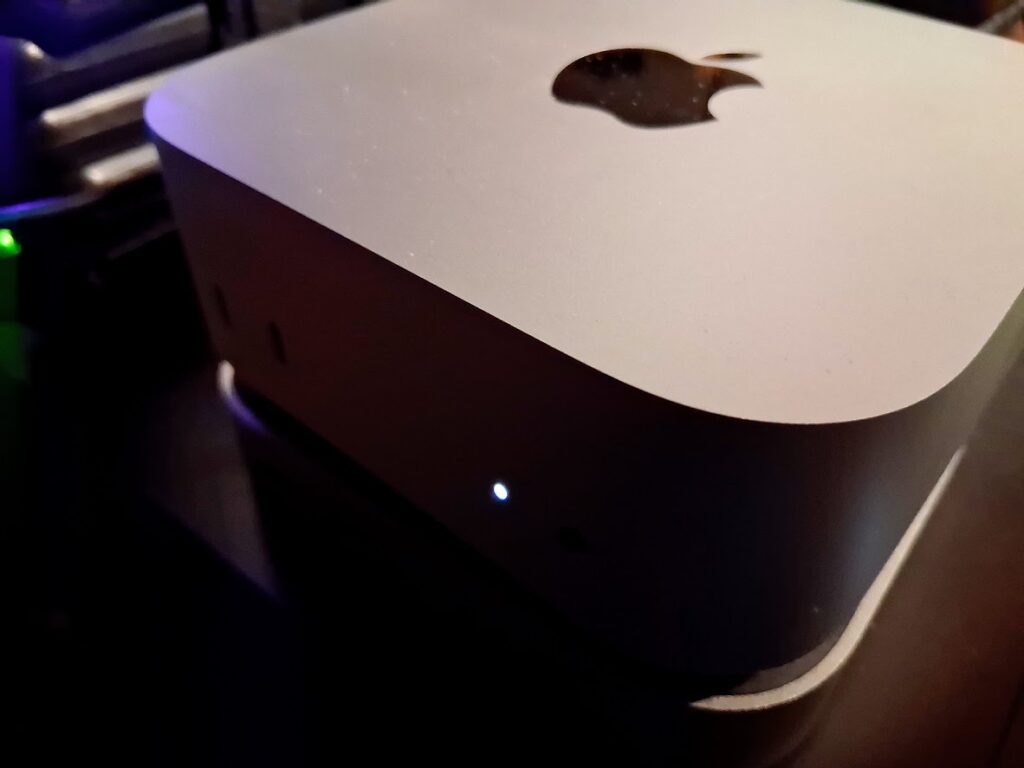
    I came up with a short list of basic ideas and fed them into Qwen 3 14B. It produced a more refined and detailed outline. Next, I used Qwen 2507 4B for drafting. After heavy rewriting, I then used Qwen 2.5 14B Instruct with prompting to polish the final draft, which I refined and edited. The entire project was completed on my Mac Mini M4 base model using LM Studio.

  • The Case for a $600 Local LLM Machine

    Using the Base Model Mac mini M4

    by Tony Thomas

    It started as a simple experiment. How much real work could I do on a small, inexpensive machine running language models locally?

    With GPU prices still elevated, memory costs climbing, SSD prices rising instead of falling, power costs steadily increasing, and cloud subscriptions adding up, it felt like a question worth answering. After a lot of thought and testing, the system I landed on was a base model Mac mini M4 with 16 GB of unified memory, a 256 GB internal SSD, a USB-C dock, and a 1 TB external NVMe drive for model storage. Thanks to recent sales, the all-in cost came in right around $600.

    On paper, that does not sound like much. In practice, it turned out to be far more capable than I expected.

    Local LLM work has shifted over the last couple of years. Models are more efficient due to better training and optimization. Quantization is better understood. Inference engines are faster and more stable. At the same time, the hardware market has moved in the opposite direction. GPUs with meaningful amounts of VRAM are expensive, and large VRAM models are quietly disappearing. DRAM is no longer cheap. SSD and NVMe prices have climbed sharply.

    Against that backdrop, a compact system with tightly integrated silicon starts to look less like a compromise and more like a sensible baseline.

    Why the Mac mini M4 Works

    The M4 Mac mini stands out because Apple’s unified memory architecture fundamentally changes how a small system behaves under inference workloads. CPU and GPU draw from the same high-bandwidth memory pool, avoiding the awkward juggling act that defines entry-level discrete GPU setups. I am not interested in cramming models into a narrow VRAM window while system memory sits idle. The M4 simply uses what it has efficiently.

    Sixteen gigabytes is not generous, but it is workable when that memory is fast and shared. For the kinds of tasks I care about, brainstorming, writing, editing, summarization, research, and outlining, it holds up well. I spend my time working, not managing resources.

    The 256 GB internal SSD is limited, but not a dealbreaker. Models and data live on the external NVMe drive, which is fast enough that it does not slow my workflow. The internal disk handles macOS and applications, and that is all it needs to do. Avoiding Apple’s storage upgrade pricing was an easy decision.

    The setup itself is straightforward. No unsupported hardware. No hacks. No fragile dependencies. It is dependable, UNIX-based, and boring in the best way. That matters if you intend to use the machine every day rather than treat it as a side project.

    What Daily Use Looks Like

    The real test was whether the machine stayed out of my way.

    Quantized 7B and 8B models run smoothly using Ollama and LM Studio. AnythingLLM works well too and adds vector databases and seamless access to cloud models when needed. Response times are short enough that interaction feels conversational rather than mechanical. I can draft, revise, and iterate without waiting on the system, which makes local use genuinely viable.

    Larger 13B to 14B models are more usable than I expected when configured sensibly. Context size needs to be managed, but that is true even on far more expensive systems. For single-user workflows, the experience is consistent and predictable.

    What stood out most was how quickly the hardware stopped being the limiting factor. Once the models were loaded and tools configured, I forgot I was using a constrained system. That is the point where performance stops being theoretical and starts being practical.

    In daily use, I rotate through a familiar mix of models. Qwen variants from 1.7B up through 14B do most of the work, alongside Mistral instruct models, DeepSeek 8B, Phi-4, and Gemma. On this machine, smaller Qwen models routinely exceed 30 tokens per second and often land closer to 40 TPS depending on quantization and context. These smaller models can usually take advantage of the full available context without issue.

    The 7B to 8B class typically runs in the low to mid 20s at context sizes between 4K and 16K. Larger 13B to 14B models settle into the low teens at a conservative 4K context and operate near the upper end of acceptable memory pressure. Those numbers are not headline-grabbing, but they are fast enough that writing, editing, and iteration feel fluid rather than constrained. I am rarely waiting on the model, which is the only metric that actually matters for my workflow.

    Cost, Power, and Practicality

    At roughly $600, this system occupies an important middle ground. It costs less than a capable GPU-based desktop while delivering enough performance to replace a meaningful amount of cloud usage. Over time, that matters more than peak benchmarks.

    The Mac mini M4 is also extremely efficient. It draws very little power under sustained inference loads, runs silently, and requires no special cooling or placement. I routinely leave models running all day without thinking about the electric bill.

    That stands in sharp contrast to my Ryzen 5700G desktop paired with an Intel B50 GPU. That system pulls hundreds of watts under load, with the B50 alone consuming around 50 watts during LLM inference. Over time, that difference is not theoretical. It shows up directly in operating costs.

    The M4 sits on top of my tower system and behaves more like an appliance. Thanks to my use of a KVM, I can turn off the desktop entirely and keep working. I do not think about heat, noise, or power consumption. That simplicity lowers friction and makes local models something I reach for by default, not as an occasional experiment.

    Where the Limits Are

    The constraints are real but manageable. Memory is finite, and there is no upgrade path. Model selection and context size require discipline. This is an inference-first system, not a training platform.

    Apple Silicon also brings ecosystem boundaries. If your work depends on CUDA-specific tooling or experimental research code, this is not the right machine. It relies on Apple’s Metal backend rather than NVIDIA’s stack. My focus is writing and knowledge work, and for that, the platform fits extremely well.

    Why This Feels Like a Turning Point

    What surprised me was not that the Mac mini M4 could run local LLMs. It was how well it could run them given the constraints.

    For years, local AI was framed as something that required large amounts of RAM, a powerful CPU, and an expensive GPU. These systems were loud, hot, and power hungry, built primarily for enthusiasts. This setup points in a different direction. With efficient models and tightly integrated hardware, a small, affordable system can do real work.

    For writers, researchers, and independent developers who care about control, privacy, and predictable costs, a budget local LLM machine built around the Mac mini M4 no longer feels experimental. It is something I turn on in the morning, leave running all day, and rely on without thinking about the hardware.

    More than any benchmark, that is what matters.

  • Kimi K2 Thinking

    The AI-Assisted Writer’s Secret Weapon

    by Tony Thomas

    Kimi K2 Thinking writes with the same precision it uses to reason. The developers built writing into its core. The model follows detailed instructions, maintains a consistent tone across long stretches of text, and develops each point without losing focus. It handles analytical essays, academic papers, and creative pieces with a fluency that often matches models built specifically for text generation.

    Its writing shows deliberate scaffolding. It does not toss phrases together or retreat to generic structures. Ask it to analyze climate policy, and it will build a framework, weigh the tradeoffs, and present a clear argument. Testers say its reasoning mode strengthens its prose instead of breaking it. That is uncommon. Many reasoning models lose clarity when they are forced to dig deep. K2 holds the line and keeps both precision and readability intact.

    K2 Thinking pulls several advanced capabilities into the writing workflow. It supports a massive 256k token context window, which allows you to feed it large outlines, prompts, drafts, and other documents at once. It uses native INT4 quantization for faster inference and lower memory use, which makes large-scale drafting more practical. I tested it on Open Router, and its latency and speed were acceptable for a model of its size.

    It is engineered for long-horizon agency, meaning it can maintain coherent behavior across two or three hundred sequential tool calls. This becomes useful when writing involves the inclusion or generation of research, code, external documents, or other data. In long-form writing benchmarks, it scores about 73.8 percent, placing it in the competitive range of frontier-grade systems. These strengths mean it can reason, analyze, write, and review in a single process.

    You can even turn K2 into a semi-automated outlining, drafting, and editing system. Start with a clear brief that explains the goal and the direction. Ask it to produce a multi-step outline that shows its reasoning process. Once the outline works, have it draft each section. 

    After each draft, feed the text back in with the original brief and ask it to identify gaps, unclear claims, or missing transitions before it revises. With the right prompting, K2 handles planning, outlining, drafting, and self-review as a single workflow. Because it supports tool calls, you can integrate research or data collection into the process.

    It keeps a narrative thread steady in long documents without repeating itself or drifting off course.  It adjusts tonality with aplomb. It can shift from a formal academic style to a plain spoken explanation without the awkward jumps that are common in many other models.

    Its reasoning engine does not drown out its writing voice. It lifts it. K2 brings planning, reasoning, and drafting into one continuous arc. You do not have to trade clarity for depth. The model delivers both while keeping the prose steady and readable. That balance is rare among open models, and it gives writers something they can use in real work with very little editing and polishing needed.