Tag: AI

  • How AI Made Me a Better Writer

    by Tony Thomas

    Most people treat AI as a writing machine. Just feed it a prompt, push a button, and collect a draft. This is freedom or a prison cell, depending on who you ask.

    After a year working with these tools, I disagree. Generating text is the least interesting thing AI does. Reading mine back to me is the most interesting.

    This reframing changed everything for me. I stopped using AI as a content shortcut. I started using it as a critical editor, a diagnostic tool, and even a writing teacher. The more I relied on it for analysis rather than generation, the sharper my own prose became.

    AI Became a Mirror

    Seeing your own patterns clearly is one of writing’s hardest challenges. Habits calcify. After twenty readings, your brain auto-completes gaps. Repetition vanishes into the blur. Weak transitions feel smooth because you already know the destination. Structural flaws hide behind your intentions.

    AI broke that spell. It gave me an outside eye. I fed drafts into different models with questions that few people seemed to ask. Not “Rewrite this” or “Make this better.” Instead: “Where does the pacing slow?” “Which rhetorical habits recur too often?” “What sections land flat emotionally?” “What assumptions lack evidence?” “What persona does this prose project?”

    The answers stung. Models flagged sentence openings I had stopped seeing. They caught filler transitions that had grown invisible. They identified places where I overexplained instead of trusting the reader. They caught repetition, weak verbs, and bloat. But they also spotted strengths: clarity, conversational rhythm, and solid conceptual framing. Knowing what to preserve proved as valuable as knowing what to cut.

    The Real Power Is Analytical, Not Generative

    Public debate still fixates on automation. Can it write articles? Novels? Can it replace human writers? Can you just wire up N8N to generate great prose? These questions ignore the deeper opportunity. The real value is not generation at all. It is accelerated feedback.

    Traditionally, writers improve through editors, workshops, repeated drafts, and years of pattern recognition. That process remains irreplaceable. But AI compresses the feedback loop. You can test tone, structure, pacing, logic, and rhetorical consistency in minutes. You can attack a draft from several angles and sift useful criticism from the noise.

    This is not outsourcing judgment. It only intensifies your demand for it. Properly used, AI stops being a ghostwriter and becomes a relentless analytical partner.

    The Techniques That Helped Me Most

    I got the best results from analytical prompts, not production commands.

    Structural analysis came first. I asked models to map an article’s logic and flow. Where does the argument buckle? Where does momentum stall? Which sections repeat? Is the emotional arc flat? Writers dread the “sagging middle.” AI detects that drift precisely because it can evaluate the whole shape at once.

    Stylistic auditing proved equally valuable. I had models hunt for repetitive phrasing, overused adjectives, passive constructions, pacing lulls, and tonal drift. The most revealing exercise was asking AI to describe the prose’s personality. The answer showed me how the writing actually landed, not how I imagined it landed. That gap hurts. That is where craft improves.

    Comparative analysis helped, provided I treated it as study rather than mimicry. I never wanted to “write like” another author. I wanted to understand mechanics. Why does one paragraph feel tighter? Why does another feel immediate? Why does one transition flow while another clunks? Done right, comparison teaches craft without producing copies.

    Building My Own Analytical Tools

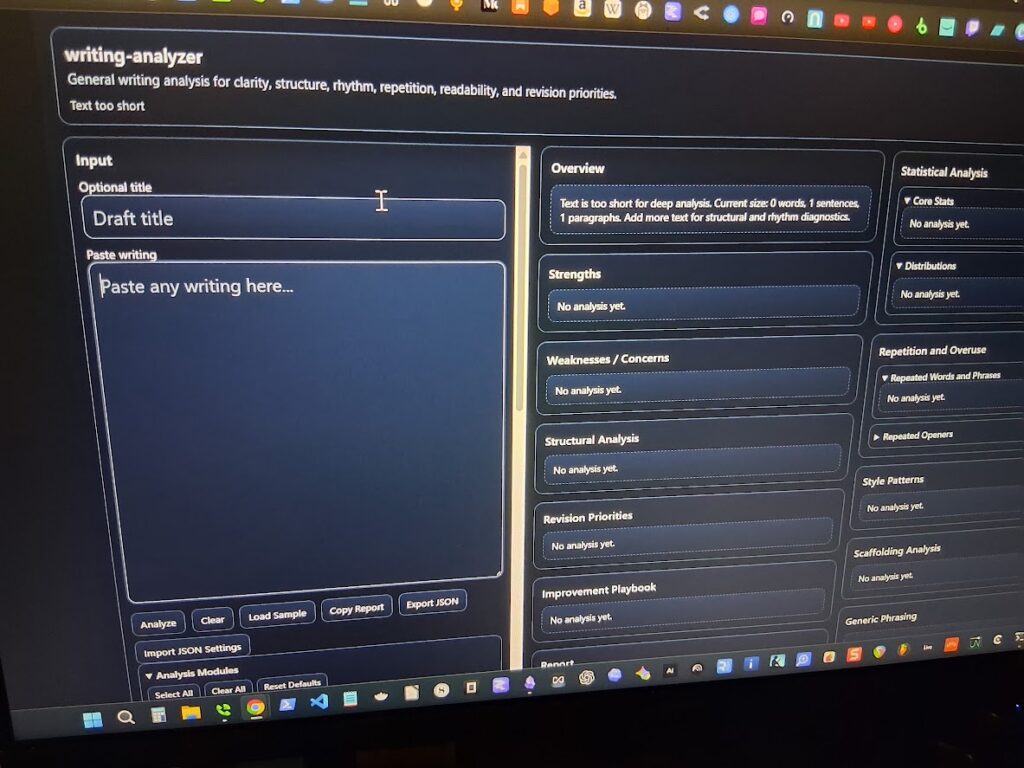
    Over time, I pushed this process further by building my own tools around it. I coded systems that use heuristics, regex pattern detection, stylistic checks, and layered analysis to examine my drafts (and LLMs) more rigorously than a general prompt can.

    The goal was never full automation. It was controlled analysis.

    I wanted tools that could flag repetitive structures, pacing drift, rhetorical crutches, overused transitions, sentence rhythm problems, and other patterns that weaken prose over time. I also tested those tools against my own writing to make sure they stayed aligned with my actual voice instead of nudging everything toward generic AI polish.

    That distinction matters. AI-assisted writing can easily become voice erosion if the writer stops paying attention. My process works because I remain the final editor. I review the findings. I decide what matters. I manually revise the prose. The tools can surface patterns, but they cannot decide what belongs in the final piece.

    So yes, AI has made me faster. It has improved my productivity. But speed is not the point. The human element remains. The tools help me see the work more clearly; they do not replace the judgment required to finish it.

    AI Exposed My Blind Spots

    As a rule, writers are lousy judges of their own work. We fall in love with sentences, structures, and ideas. We defend weak sections because we remember the sweat. AI feels no attachment to the labor. Its criticism cuts clean.

    It spotted my rambling. It flagged stacks of abstractions. It caught the same idea wearing different clothing. Most unsettling, it revealed when my own prose had started to mimic AI-generated cadences after too much exposure. Spend enough time with these systems and you recognize their tics. You can also absorb them unconsciously.

    Analytical use built immunity. Seeing the patterns clearly made them easier to resist. The same engine that spouts generic prose can spot it, including in your own draft.

    The Human Still Matters

    None of this replaces the writer. It amplifies the role. As AI lowers the barrier to producing text, human discernment gains value. Taste sharpens. Judgment deepens. Structure carries more weight. Original thought and lived experience set it apart.

    The writers who benefit will not use AI to avoid thinking. They will use it to scrutinize their own work more closely. That is the big change. AI did not make writing effortless. It made my weaknesses impossible to ignore.

    Final Thoughts

    AI did not make me obsolete. It made me deliberate.

    I now draft with a clearer sense of my own habits. Where I bog down. Where I overwrite. Where my rhythm flags. I revise faster because feedback loops that once took years to develop now close in minutes. I make sharper structural choices because I have tested the bones of the piece against an outside eye.

    The real value lies not in outsourcing the work, but in refusing to outsource the judgment. Every time I run an analytical prompt, I am forced to decide what stays, what goes, and why. That discipline means looking at my own prose with the same rigor I would apply to someone else’s. That is what AI taught me. It turned the editing impulse inward, and that shift has made all the difference.


  • My Real Workflow for Writing a Book with AI

    by Tony Thomas

    I just published a short nonfiction book, and yes, I used AI to help write it. Not in the way most people think, and not in the way that’s flooding Amazon with empty books right now.

    I didn’t prompt “write me a book” and hit publish. That approach produces clean, readable content that sounds right and delivers nothing. I’ve bought enough of those to recognize the pattern quickly, and that experience is the reason this project exists in the first place.

    This started with a real idea. I’ve bought over 1,000 nonfiction books on Kindle, and after a while, the patterns become obvious. Some go deep and hold up. Others look solid on the surface and fall apart within a few pages. That gap became the core of the book, a fast filter to avoid wasting time on weak nonfiction, and it shaped how I approached the entire writing process.

    I built the structure myself. Outline first, then chapters, then flow. Each section had a job and a clear connection to the next, so I always knew what the piece needed to do before I wrote a single paragraph. AI came in after that, not before, and I used it in controlled passes to expand rough notes into readable sections, tighten language, and check consistency across chapters. It helped me move faster, but it never made the decisions.

    The real work was editing, and this is where most AI-assisted writing falls apart. AI produces smooth writing very quickly, which makes it easy to confuse flow with substance. I don’t trust that. I stop on every section and ask a direct question. Does this actually say anything? If a paragraph feels interchangeable, I cut it or rewrite it until it carries weight.

    I also ran analysis passes using my own tools to flag repetition, weak verbs, and generic phrasing. That gave me clear targets, but the fixes were still manual or handled with very specific prompts. That combination matters more than the generation step, because it’s where the difference between usable and empty shows up.

    The final book is short, about 7,000 words, but it’s tight. No filler, no padding, no stretched ideas. That’s a deliberate choice, and it reflects how I think about nonfiction now. I care more about signal than volume.

    Here’s my takeaway after doing this. AI makes it easy to produce a book, but it does not make it easy to produce a good one. If anything, it raises the standard for editing because the baseline output already looks finished. I’ve seen what happens when people skip that step, and I’m not interested in publishing something that just looks complete.

    So the decision is simple. Use AI as a structured collaborator and bring your own judgment, or accept that the output will be shallow, no matter how polished it looks. That’s the tradeoff.

    If you want to see what that looks like in practice, I put the system into a short book called Stop Buying Bad Books: A 60-Second System for Finding Nonfiction That Actually Delivers. It’s $2.99, and if you read nonfiction regularly, it will save you more than that the first time you skip a bad buy.

  • The Claw Closes on Users

    Always-on agents just hit the limits of compute, cost, and control

    by Tony Thomas

    The OpenClaw situation is a warning shot for enthusiasts of always-on agents.

    On April 4, 2026, Anthropic changed how Claude subscriptions work with third-party harnesses such as OpenClaw. They no longer cover unlimited use of agents on flat-rate plans. Sure, you can still run them, but now you must pay through API billing or usage bundles. Anthropic said the increased use of OpenClaw and similar harnesses placed strain on their systems and did not resemble normal subscription traffic. 

    Why OpenClaw Became So Popular

    OpenClaw and its derivatives took off because they turn models into agentic workers. They run locally, connect to frontier models, and execute tasks across apps and time zones. The emphasis is on persistence rather than chat or one-off prompts. Even when you are sleeping, your squad of agents keeps working in the background.  That autonomy makes it expensive.

    While a chat stops, an agent keeps going. It plans, retries, summarizes, calls tools, and loops. Left alone, it keeps burning tokens at a steady rate. Flat subscriptions were built for short bursts, not waves of activity, so the mismatch is inevitable.

    The OpenAI Hire Changes the Context

    In February 2026, OpenClaw’s creator, Peter Steinberger, joined OpenAI to work on personal agents. Around the same time, OpenClaw moved to an independent open source foundation supported by OpenAI. Weeks later, Anthropic removed OpenClaw and similar harnesses from subscription coverage. The timing adds context, and the sequence is hard to ignore.

    Third-party harnesses sit comfortably between users and models. They decide when to call the model and how long to loop. That makes demand unpredictable. Metered pricing restores control. It also shifts profit back to the labs.

    Subscription Pricing vs Agent Reality

    Of course, this extends beyond OpenClaw. Other third-party harnesses still work, but they no longer ride on flat plans, and usage is metered. Continuous agent use now requires continuous payments.

    Agent workflows scale with time. Leave them running, and they keep consuming compute. Tools that manage email, calendars, and tasks generate a steady load. Infrastructure built for interactive requests handles spikes. It struggles with constant demand.  And there is only so much compute to go around.

    Flat pricing assumes pauses. Agents remove pauses. That is the core conflict.

    The Reaction From the Community

    Part of what pushed me to write this was the reaction from developers building agent-driven workflows. A video from Network Chuck captured the frustration. He described receiving notice that subscription coverage for tools like OpenClaw was ending. Many users chose Claude for that flexibility. 

    Chuck also suggested the move came down to infrastructure strain or subsidized usage. His tone was jarring. These are no longer experiments. People are wiring agents into daily systems. Pricing changes are a gut punch.  And it puts strain on people’s businesses and their lives. 

    Platform Control Is the Bigger Story

    This also looks like a shift toward increased platform restraint. Labs are not just shipping models anymore. They are building full agent stacks that include orchestration, tools, scheduling, and memory.  The trend is now in creating packaged solutions rather than just doling out compute.

    Third-party harnesses sit outside that stack. They drive loops that the provider can no longer control. Moving orchestration inside the platform limits runaway usage and stabilizes demand. It also centralizes the agent layer.

    Security and Autonomy Tradeoffs

    Autonomous agents often need wide system access. They read files, trigger actions, and move across apps. That expands risk. Prompt injection becomes more dangerous. Automation mistakes scale faster. 

    Data exposure increases. And runaway agents can burn tokens and suck up compute at alarming rates. Provider-controlled agents reduce some of that surface area. Less freedom. More guardrails.

    The Local Hardware Escape Hatch Is Closing

    Local inference once looked like the perfect workaround. You could buy hardware, run open models, and skip token costs.

    That window narrowed quickly. GPU demand surged. High-VRAM cards became expensive. Plus, larger setups require power, cooling, and upkeep. Lots of power.  Even modest rigs add ongoing cost.

    As a result, local inference stops looking like a lower-cost alternative. It becomes a large capital expenditure plus ongoing operating expenses. Continuous agents amplify both.

    Between Cloud Tokens and Local Hardware

    This leaves an awkward middle path.

    Cloud models get expensive when they run constantly, and local hardware that can replace them is also expensive. Neither side offers a cheap solution.

    Agentic workflows push requirements higher. Longer context. More frequent calls. Increased tool usage. Small local models can route or filter, but full autonomy still requires frontier models.

    So the compromise is a hybrid. You run lightweight steps locally, call frontier models when needed, add budgets, and limit loops. It works, but autonomy shrinks.

    Using fully local agents becomes harder. Cheap cloud agents are fading. That is the dilemma.

    The End of Cheap Unlimited Agents

    This is not the end of agentic AI. It is the end of cheap, unlimited agents.

    OpenClaw still runs. It just pays for what it uses. If it runs all day. And the meter runs all day.

    That pushes designs toward boundaries such as budgets, step limits, and event-driven triggers. 

    Hybrid stacks become more common, with smaller models handling planning and frontier models handling heavier reasoning. 

    The goal shifts from autonomy to efficiency.

    What Happens Next

    The OpenAI hire underscores how central orchestration has become. Agentic control is now the center of the red-hot competition between labs.

    OpenClaw did not fail. It just exposed the economics. Always-on agents turn models into infrastructure. Infrastructure costs money. Subscriptions blur that cost. Metering makes it visible.

    Expect more tightening, higher prime time rates, fewer open loops, more bounded agents, and more hybrid setups.

    Letting agents run forever in the background at a massive scale was always untenable. And the math finally caught up.

  • Can OpenAI Survive?

    by Tony Thomas

    I use OpenAI’s tools every day. They sit at the center of my workflow. They help me think, draft, outline, code, and ship ideas faster than I ever could alone. I am grateful for that. I am also uneasy.

    Here is the tension as I understand it. The company generates roughly $3.5 billion in annual revenue. It also burns somewhere between $5 and $7 billion a year. That gap would sink most businesses. OpenAI bridges it by raising more capital. It has already raised about $6.6 billion at a reported $157 billion valuation and is seeking another $15 to $25 billion, with SoftBank mentioned as a potential anchor. The growth is real. The cash burn is just as real.

    As someone who has watched tech cycles for decades, I know this pattern. Big vision. Big spending. Big expectations. Sometimes it ends in dominance. Sometimes it ends in a write-down.

    The Cost of Intelligence

    Training frontier models like GPT-5 requires massive clusters of specialized chips running for months. Industry estimates place training costs in the hundreds of millions per generation. Future systems could cross the billion-dollar mark. That is serious money even in Silicon Valley.

    Inference adds another layer. Every prompt I send consumes compute. Multiply that by millions of users and enterprise workloads, and the meter runs constantly. Efficiency improves, yes. But usage tends to expand faster than efficiency gains. I know this because my own usage keeps climbing.

    Lower API prices complicate the picture. Competition has pushed prices down. Enterprises negotiate volume discounts. Developers design apps that can switch between models. Lower prices expand adoption. Higher adoption inflates compute bills. The flywheel spins both ways.

    What This Means for the Average User

    If you are an everyday user, you may not care about burn rates. You care about reliability, pricing, and whether your favorite features stick around.

    Here are the practical implications. Prices could rise if capital tightens. Generous free tiers could shrink. Enterprise features may get prioritized over hobbyist use. Rate limits might tighten during peak demand. Product packaging could shift as the company experiments with margins.

    On the positive side, pressure can drive innovation. We may see faster, cheaper models. More specialized tools. Better optimization that reduces latency and cost. Financial strain often forces discipline. Discipline can lead to better products.

    Still, the era of “growth at any cost” rarely lasts forever. At some point, someone insists on a profit.

    The Microsoft Factor

    Microsoft has committed an estimated $13 billion, much of it in Azure cloud credits. OpenAI depends on Microsoft’s infrastructure to train and serve models. Microsoft integrates OpenAI into Copilot and Azure offerings.

    Microsoft has options. It can subsidize AI losses with profits from enterprise software and cloud. It can build internal models. It can renegotiate commercial terms over time. OpenAI does not have the same flexibility. AI is the business.

    That leads to a question many users quietly ask. Could Microsoft eventually acquire OpenAI outright?

    Takeover Scenarios

    A full Microsoft acquisition is plausible in a long-term squeeze. If capital markets cool and OpenAI needs stability, Microsoft would be the obvious buyer. The infrastructure is already intertwined. The product integrations are deep. A clean acquisition could simplify governance and funding.

    Nvidia is another interesting possibility. Nvidia controls the chips that make modern AI possible. Owning a leading model provider would give it vertical integration from silicon to software. That said, regulators would look closely at such a move. Nvidia already sits at the center of the AI supply chain.

    There is also the possibility of a broader tech consortium, or even a large sovereign-backed investment group, stepping in if AI becomes viewed as strategic infrastructure.

    As a user, I try to imagine what each outcome would mean. Under Microsoft, OpenAI might become more enterprise-focused and tightly integrated into Windows and Azure. Under Nvidia, optimization for its hardware would likely intensify. Under a consortium, priorities could fragment.

    Independence gives OpenAI flexibility. Acquisition could give it stability.

    Will the Models Get Smaller?

    Another question I find myself asking is technical. Will OpenAI continue building ever-larger frontier models? Or will it pivot toward smaller mixture-of-experts systems and highly specialized models?

    Mixture-of-experts architectures allow parts of a model to activate selectively. That reduces compute per query. Smaller, specialized models can handle narrow tasks at lower cost. In a world where inference costs matter more than leaderboard scores, that strategy makes sense.

    I would not be surprised to see a portfolio approach by 2027. One or two flagship frontier models for headline capability. A suite of efficient MoE models tuned for coding, legal analysis, design, or customer support. Perhaps even on-device variants for certain use cases.

    If cost pressure intensifies, efficiency will not be optional. It will be survival.

    Three Possible Outcomes

    From where I sit, there are at least three broad outcomes.

    First, OpenAI achieves technical breakthroughs that materially widen the gap. It bends the cost curve through architecture and hardware optimization. Revenue scales faster than expenses. The company grows into its valuation and becomes the central platform for AI services. In this scenario, today’s burn looks like an investment phase.

    Second, competition compresses margins. Performance converges. Pricing power erodes. OpenAI remains important but becomes one strong provider among several. Growth slows. Valuations reset. The company either restructures for efficiency or accepts acquisition.

    Third, a major strategic shift occurs. OpenAI leans heavily into enterprise software, builds a durable recurring revenue base, and looks more like a next-generation enterprise platform than a pure research lab. It may not dominate consumer mindshare, but it becomes deeply embedded in business infrastructure.

    None of these outcomes feels impossible.

    What 2030 Might Look Like

    By 2030, I suspect OpenAI will look less like a research lab chasing the next giant model and more like a layered AI platform company.

    There will likely be a flagship general model, yes. But around it, I expect specialized vertical models, optimized inference stacks, custom enterprise deployments, and tighter hardware integration. The business mix may tilt heavily toward enterprise contracts rather than consumer subscriptions.

    Governance will probably be simpler. Investors will demand it. Whether that means a clean for-profit structure or ownership by a larger parent, I doubt the hybrid era lasts unchanged.

    As a user, I hope the culture of rapid iteration survives. I have benefited from that speed. I also hope the economics mature. I would prefer a boringly profitable OpenAI in 2030 over a dazzling but fragile one.

    Why I Care

    I have skin in the game. My workflows, my projects, and even parts of my income rely on these tools. They have multiplied my output in ways I did not think possible a few years ago. I am a happy customer.

    I am also a cautious one.

    The financial paradox will not resolve through vision alone. OpenAI has to translate technical leadership into durable economics. If it bends the cost curve and builds defensible advantages, it could define the next decade of computing. If it cannot, capital markets will eventually enforce discipline.

    I have seen enough cycles to know this: brilliance buys time. Sustainable cash flow buys permanence. I am rooting for both.


    UPDATE: The Pentagon Deal, the Backlash, and a New Twist

    Just when I thought the OpenAI story could not get more layered, the past few days added fuel to the fire.

    On February 28, 2026, OpenAI finalized a $200 million contract with what is now being called the Department of War, formerly the Department of Defense. The agreement allows OpenAI’s models to operate inside classified military networks. The timing raised eyebrows because it came just hours after the Trump administration cut ties with Anthropic. Within days, social media filled with calls to “Cancel ChatGPT,” driven by concerns about AI militarization and surveillance.

    As someone who uses these tools every day, I felt the tension immediately. Pride that the technology has reached that level of national importance. Unease about where that road can lead.

    What the Pentagon Deal Actually Means

    OpenAI says the contract includes clear limits. No autonomous weapons. No domestic mass surveillance. Those lines matter, and I take them seriously.

    Critics point to language suggesting the models could be used for “all lawful purposes.” That phrase carries weight. Under existing laws, “lawful” can include broad data collection. That is where trust becomes fragile.

    Sam Altman acknowledged the deal was rushed and admitted the optics were not great, especially given the immediate fallout with Anthropic. I appreciate that level of honesty. Still, once a company steps into defense infrastructure, the public conversation changes. This is no longer just about chatbots and coding assistants.

    The Anthropic Fallout

    Anthropic reportedly refused to grant the Pentagon unrestricted access to its Claude models, citing safety concerns. The administration responded forcefully.

    President Trump ordered federal agencies to stop using Anthropic technology. Secretary of Defense Pete Hegseth labeled Anthropic a “supply-chain risk,” language that usually carries serious national security implications. In one stroke, a leading AI firm was cut out of federal work.

    Here is the interesting twist. Despite the federal ban, Anthropic’s Claude shot to the top spot in the App Store shortly after the announcement. Users responded quickly. If anything, the controversy appears to have boosted public interest.

    That tells me something important. The AI market is not just shaped by contracts and capital. It is shaped by public sentiment. In a consumer-driven ecosystem, backlash can move download charts overnight.

    The Money Keeps Climbing

    At nearly the same time as the Pentagon deal, OpenAI announced a $110 billion funding round led by Amazon, Nvidia, and Microsoft. The valuation now sits around $730 billion. That is an extraordinary number for a private company.

    Financially, it signals confidence from some of the most powerful players in tech. Symbolically, it raises the stakes. Investors at that level expect sustained growth, expanding margins, and strategic leverage. This is no longer a scrappy startup narrative.

    Some critics, including a few employees, argue that the company is drifting from its earlier safety-first framing toward political alignment and profit maximization. I cannot see inside those conversations. I can say that when the capital stack gets that large, the pressure changes.

    What This Means for Everyday Users

    If you are an average user, you might wonder how this affects you.

    In the short term, the product likely continues to improve. Massive funding means more compute, more research, more engineers. Government contracts can provide stable revenue. Enterprise adoption will probably expand.

    In the longer term, priorities may shift. Defense and enterprise needs could shape model capabilities. Compliance requirements could influence product design. Pricing structures could evolve as the company balances public access with large institutional contracts.

    Meanwhile, the competitive field is wide open. Claude climbing to the top of the App Store shows that users are willing to move. Multi-model strategies are becoming common. Loyalty now depends on performance, trust, and cost.

    My Personal Take

    I remain a happy user. These tools have changed how I work. They have multiplied my output and sharpened my thinking. I would not want to go back.

    At the same time, I am more aware that OpenAI now sits at the intersection of geopolitics, capital markets, and national defense. That is not a comfortable place to stand. Companies in that position face scrutiny from every direction.

    By 2030, OpenAI may look less like a fast-moving lab and more like critical infrastructure. It may operate with tighter governance, deeper enterprise roots, and closer alignment with major tech partners. Or it may become part of a larger corporate structure entirely.

    Brilliance got it here. Public trust, disciplined economics, and careful power management will determine what comes next. As someone with skin in the game, I am watching closely.

  • How I Use AI in My Writing Process – From Brainstorming to Final Polish

    by Tony Thomas

    People have asked me how AI fits into my writing process. Although I’m still fairly new at using AI tools, they have already become an integral part of my workflow. In this article, I’ll walk you through how I use AI, from the first idea to the final edit.

    The Role of AI in My Writing Workflow

    I’ve been stuck staring at a blank page before. I’ve had that sinking feeling when I know I should be writing, but nothing comes to mind. That’s where AI truly shines. I’ll throw a few keywords or concepts into an AI tool, and within seconds, it generates a flurry of ideas and a basic structure. It’s like having a co-writer who’s always ready, offering fresh angles and unexpected connections.

    But AI isn’t just great for brainstorming. When I need to gather facts from diverse sources, such as academic journals, blogs, or news sites, I can pull data from the web and use AI to synthesize it and present it in a clean, organized format. This saves me hours scrolling through pages of content. AI does the heavy lifting, saving me time and ensuring I’m grounded in accurate, up-to-date information.

    Making My Life Easier with AI Tools

    Research can be a nightmare, especially when dealing with dense, technical material. That’s where data summarization comes in. I can paste a paragraph or article into an AI tool, and within seconds, it distills the key points into a concise, readable summary.

    Sometimes, gaps appear in my narrative. Data interpolation helps here as well. AI suggests plausible, consistent ways to fill those gaps, maintaining narrative flow and coherence. Of course, it’s not perfect. I still need to edit and revise. But it gives me a solid foundation to work from, saving me from creative dead ends.

    Building the Outline with Help from AI

    Outlining has always been a painful and tedious process for me. Now, I can toss a central idea into an LLM and let it generate a basic outline with clear sections, subtopics, and flow. It’s not a finished product. It’s just a scaffold. This gives me structure without the pressure of planning every detail from the start. It’s a smart, flexible starting point that actually makes writing feel less overwhelming.

    Drafting My Thoughts 

    Once I have my outline, I let AI generate a first draft. I feed the outline and a few guiding prompts into LM Studio or Ollama, and it produces a coherent, flowing piece. But here’s the key: I never submit this as the final version. I edit it heavily, reshaping sentences, adjusting tone, and adding my own voice and personality. It’s not about replacing my creativity; it just provides a starting point.

    Polishing My Work 

    Editing is where AI truly becomes a partner. I often run my draft through various AI models and allow them to check grammar, sentence structure, tone, and consistency. They catch awkward phrasing, repetitive language, and even subtle inconsistencies in voice. I use them to refine flow, tighten arguments, and elevate the overall quality. I compare the output from various models and select the best one for the project. That said, I always step in to ensure the piece reflects my voice and style.

    How AI Has Changed My Writing Life

    AI isn’t replacing me. It’s merely amplifying what I already do best. From sparking ideas to refining drafts, it has become an essential part of my writing workflow. It makes the process faster, smoother, and more efficient. If you’re a writer who’s still hesitant about AI, I would say: give it a try. You might be surprised at how much it helps.

    My Tips for Using AI Without Losing Your Voice

    – Use AI as a tool, not a replacement.

    – Always revise and personalize the output.

    – Set clear boundaries. Use prompting to define tone, style, and intent from the start.

    – Keep your unique voice central. AI can mimic style, but it can’t replicate your experience and perspective.

    – Iterate, don’t just accept. Run drafts through AI multiple times, but take ownership of the final version.

    – AI doesn’t take over. It empowers. When used wisely, it becomes a silent, intelligent collaborator in your writing journey. And that’s exactly what I’ve come to rely on.

    How I Wrote This Article

    I came up with a short list of basic ideas and fed them into Qwen 3 14B. It produced a more refined and detailed outline. Next, I used Qwen 2507 4B for drafting. After heavy rewriting, I then used Qwen 2.5 14B Instruct with prompting to polish the final draft, which I refined and edited. The entire project was completed on my Mac Mini M4 base model using LM Studio.

  • The Case for a $600 Local LLM Machine

    Using the Base Model Mac mini M4

    by Tony Thomas

    It started as a simple experiment. How much real work could I do on a small, inexpensive machine running language models locally?

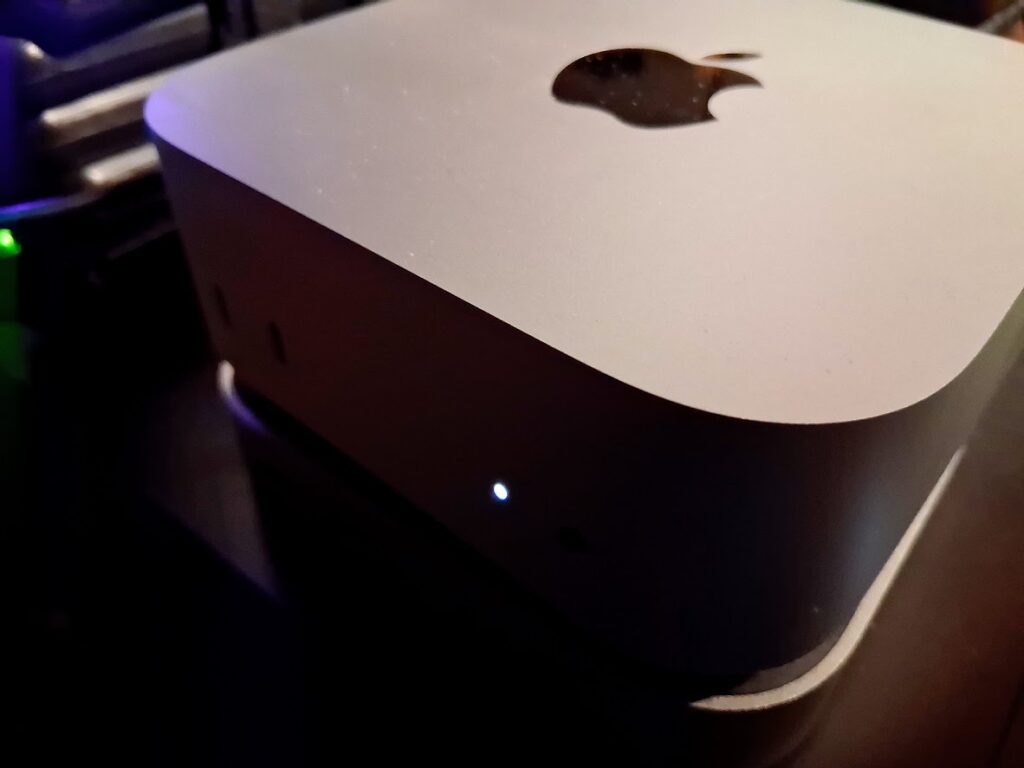
    With GPU prices still elevated, memory costs climbing, SSD prices rising instead of falling, power costs steadily increasing, and cloud subscriptions adding up, it felt like a question worth answering. After a lot of thought and testing, the system I landed on was a base model Mac mini M4 with 16 GB of unified memory, a 256 GB internal SSD, a USB-C dock, and a 1 TB external NVMe drive for model storage. Thanks to recent sales, the all-in cost came in right around $600.

    On paper, that does not sound like much. In practice, it turned out to be far more capable than I expected.

    Local LLM work has shifted over the last couple of years. Models are more efficient due to better training and optimization. Quantization is better understood. Inference engines are faster and more stable. At the same time, the hardware market has moved in the opposite direction. GPUs with meaningful amounts of VRAM are expensive, and large VRAM models are quietly disappearing. DRAM is no longer cheap. SSD and NVMe prices have climbed sharply.

    Against that backdrop, a compact system with tightly integrated silicon starts to look less like a compromise and more like a sensible baseline.

    Why the Mac mini M4 Works

    The M4 Mac mini stands out because Apple’s unified memory architecture fundamentally changes how a small system behaves under inference workloads. CPU and GPU draw from the same high-bandwidth memory pool, avoiding the awkward juggling act that defines entry-level discrete GPU setups. I am not interested in cramming models into a narrow VRAM window while system memory sits idle. The M4 simply uses what it has efficiently.

    Sixteen gigabytes is not generous, but it is workable when that memory is fast and shared. For the kinds of tasks I care about, brainstorming, writing, editing, summarization, research, and outlining, it holds up well. I spend my time working, not managing resources.

    The 256 GB internal SSD is limited, but not a dealbreaker. Models and data live on the external NVMe drive, which is fast enough that it does not slow my workflow. The internal disk handles macOS and applications, and that is all it needs to do. Avoiding Apple’s storage upgrade pricing was an easy decision.

    The setup itself is straightforward. No unsupported hardware. No hacks. No fragile dependencies. It is dependable, UNIX-based, and boring in the best way. That matters if you intend to use the machine every day rather than treat it as a side project.

    What Daily Use Looks Like

    The real test was whether the machine stayed out of my way.

    Quantized 7B and 8B models run smoothly using Ollama and LM Studio. AnythingLLM works well too and adds vector databases and seamless access to cloud models when needed. Response times are short enough that interaction feels conversational rather than mechanical. I can draft, revise, and iterate without waiting on the system, which makes local use genuinely viable.

    Larger 13B to 14B models are more usable than I expected when configured sensibly. Context size needs to be managed, but that is true even on far more expensive systems. For single-user workflows, the experience is consistent and predictable.

    What stood out most was how quickly the hardware stopped being the limiting factor. Once the models were loaded and tools configured, I forgot I was using a constrained system. That is the point where performance stops being theoretical and starts being practical.

    In daily use, I rotate through a familiar mix of models. Qwen variants from 1.7B up through 14B do most of the work, alongside Mistral instruct models, DeepSeek 8B, Phi-4, and Gemma. On this machine, smaller Qwen models routinely exceed 30 tokens per second and often land closer to 40 TPS depending on quantization and context. These smaller models can usually take advantage of the full available context without issue.

    The 7B to 8B class typically runs in the low to mid 20s at context sizes between 4K and 16K. Larger 13B to 14B models settle into the low teens at a conservative 4K context and operate near the upper end of acceptable memory pressure. Those numbers are not headline-grabbing, but they are fast enough that writing, editing, and iteration feel fluid rather than constrained. I am rarely waiting on the model, which is the only metric that actually matters for my workflow.

    Cost, Power, and Practicality

    At roughly $600, this system occupies an important middle ground. It costs less than a capable GPU-based desktop while delivering enough performance to replace a meaningful amount of cloud usage. Over time, that matters more than peak benchmarks.

    The Mac mini M4 is also extremely efficient. It draws very little power under sustained inference loads, runs silently, and requires no special cooling or placement. I routinely leave models running all day without thinking about the electric bill.

    That stands in sharp contrast to my Ryzen 5700G desktop paired with an Intel B50 GPU. That system pulls hundreds of watts under load, with the B50 alone consuming around 50 watts during LLM inference. Over time, that difference is not theoretical. It shows up directly in operating costs.

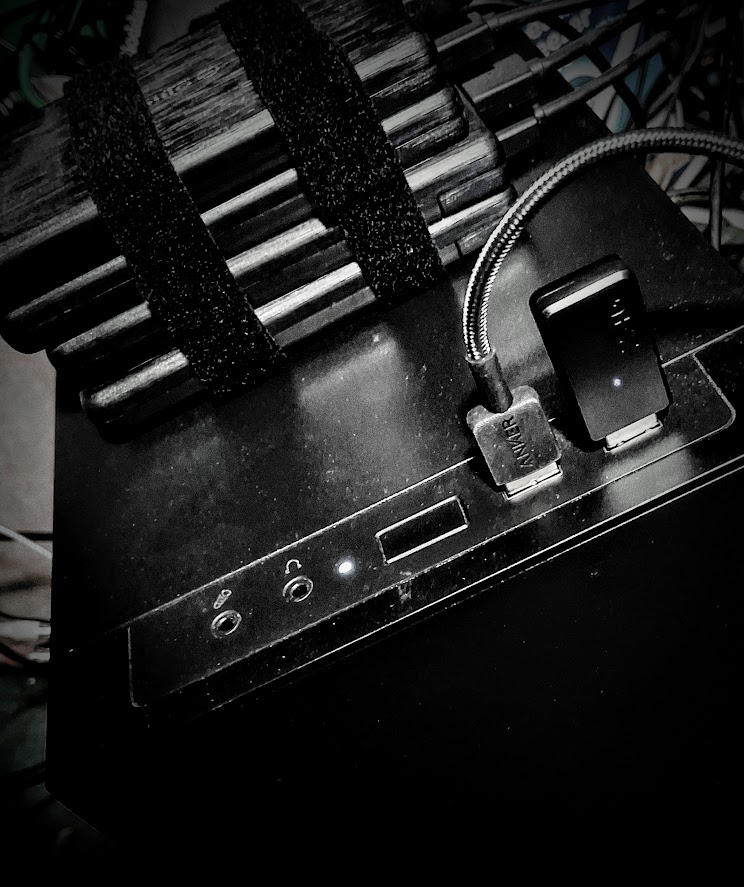
    The M4 sits on top of my tower system and behaves more like an appliance. Thanks to my use of a KVM, I can turn off the desktop entirely and keep working. I do not think about heat, noise, or power consumption. That simplicity lowers friction and makes local models something I reach for by default, not as an occasional experiment.

    Where the Limits Are

    The constraints are real but manageable. Memory is finite, and there is no upgrade path. Model selection and context size require discipline. This is an inference-first system, not a training platform.

    Apple Silicon also brings ecosystem boundaries. If your work depends on CUDA-specific tooling or experimental research code, this is not the right machine. It relies on Apple’s Metal backend rather than NVIDIA’s stack. My focus is writing and knowledge work, and for that, the platform fits extremely well.

    Why This Feels Like a Turning Point

    What surprised me was not that the Mac mini M4 could run local LLMs. It was how well it could run them given the constraints.

    For years, local AI was framed as something that required large amounts of RAM, a powerful CPU, and an expensive GPU. These systems were loud, hot, and power hungry, built primarily for enthusiasts. This setup points in a different direction. With efficient models and tightly integrated hardware, a small, affordable system can do real work.

    For writers, researchers, and independent developers who care about control, privacy, and predictable costs, a budget local LLM machine built around the Mac mini M4 no longer feels experimental. It is something I turn on in the morning, leave running all day, and rely on without thinking about the hardware.

    More than any benchmark, that is what matters.

  • Local AI Is About to Get More Expensive

    Photo by Ian Talmacs -Unsplash

    by Tony Thomas

    AI inference took over my hardware life before I even realized it. I started out running LM Studio and Ollama on my old 5700G, doing everything on the CPU because that was my only option. Later I added the B50 to squeeze more speed out of local models. It helped for a while, but now I am fenced in by ridiculous DDR4 prices. Running models used to feel simple. Buy a card, load a 7B model, and get to work. Now everything comes down to memory. VRAM sets the ceiling. DRAM sets the floor. Every upgrade decision lives or dies on how much memory you can afford.

    The first red flag hit when DDR5 prices spiked. I never bought any, but watching the climb from the sidelines was enough. Then GDDR pricing pushed upward. By the time memory manufacturers warned that contract prices could double again next year, I knew things had changed. DRAM is up more than 70% in some places. DDR5 keeps rising. GDDR sits about 30% higher. DDR4 is being squeezed out, so even the old kits cost more than they should. When the whole memory chain inflates at once, every part in a GPU build takes the hit.

    The low and mid tier get crushed first. Those cards only make sense if VRAM stays cheap. A $200 or $300 card cannot hide rising GDDR costs. VRAM is one of its biggest expenses. Raise that piece and the card becomes a losing deal for the manufacturer. Rumors already point toward cuts in that tier. New and inexpensive 16 GB cards may become a thing of the past. If that happens, the entry point for building a local AI machine jumps fast.

    I used to think this would hit me directly. Watching my B50 jump from $300 to $350 before the memory squeeze even started made me pay attention. Plenty of people rely on sixteen gigabyte cards every day. I already have mine, so I am not scrambling like new builders. A 7B or 13B model still runs fine with quantization. That sweet spot kept local AI realistic for years. Now it is under pressure. If it disappears, the fallback is older cards or multi GPU setups. More power. More heat. More noise. Higher bills. None of this feels like progress.

    Higher tiers do not offer much relief. Cards with twenty four or forty eight gigabytes of VRAM already sit in premium territory. Their prices will not fall. If anything, they will rise as memory suppliers steer the best chips toward data centers. Running a 30B or 70B model at home becomes a major purchase. And the used market dries up fast when shortages hit. A 24 GB card becomes a trophy.

    Even the roadmaps look shaky. Reports say Nvidia delayed or thinned parts of the RTX 50 Super refresh because early GDDR7 production is being routed toward high margin AI hardware. Nvidia denies a full cancellation, but the delay speaks for itself. Memory follows the money.

    Then comes the real choke point. HBM (High Bandwidth Memory). Modern AI accelerators live on it. Supply is stretched thin. Big tech companies build bigger clusters every quarter. They buy HBM as soon as it comes off the line. GDDR is tight, but HBM is a feeding frenzy. This is why cards like the H200 or MI300X stay expensive and rare. Terabytes per second of bandwidth are not cheap. The packaging is complex. Yields are tough. Companies pay for it because the margins are huge.

    Local builders get whatever is left. Workstation cards that once trickled into the used market now stay locked inside data centers until they fail. Anyone trying to run large multimodal models at home is climbing a steeper hill than before.

    System RAM adds to the pain. DDR5 climbed hard. DDR4 is aging out. I had hoped to upgrade to 64 GB so I could push bigger models in hybrid mode or run them CPU only when needed, but that dream evaporated when DDR4 prices went off the rails. DRAM fabs are shifting capacity to AI servers and accelerators. Prices double. Sometimes triple. The host machine for an inference rig used to be the cheap part. Not anymore. A decent CPU, a solid motherboard, and enough RAM now take a bigger bite out of the budget.

    There is one odd twist in all of this. Apple ends up with a quiet advantage. Their M series machines bundle unified memory into the chip. You can still buy an M4 Mini with plenty of RAM for a fair price and never touch a GPU. Smaller models run well because of the bandwidth and tight integration. In a market where DDR4 and DDR5 feel unhinged, Apple looks like the lifeboat no one expected.

    This shift hits people like me because I rely on local AI every day. I run models at home for the control it gives me. No API limits. No privacy questions. No waiting for tokens. Now the cost structure moves in the wrong direction. Models grow faster than hardware. Context windows expand. Token speeds jump. Everything they need, from VRAM to HBM to DRAM, becomes more expensive.

    Gamers will feel it too. Modern titles chew through ten to twelve gigabytes of VRAM at high settings. That used to be rare. Now it is normal. If the entry tier collapses, the pressure moves up. A card that used to cost $200 creeps toward $400. People either overpay or hold on to hardware that is already behind.

    Memory fabs cannot scale overnight. The companies that make DRAM and HBM repeat the same warning. Supply stays tight into 2027 or 2028. These trends will not reverse soon. GPU makers will keep chasing AI margins. Consumer hardware will take the hit. Anyone building local AI rigs will face harder decisions.

    For me the conclusion is simple. Building an inference rig costs more now. GPU prices climb because memory climbs. CPU systems climb because DRAM climbs. I can pay more, scale down, or wait it out. None of these choices feel good, but they are the reality for anyone who wants to run models at home.

  • ChatGPT 5.1

    Moving In the Right Direction

    by Tony Thomas

    ChatGPT 5 arrived with a lot of negativity and controversy. Many users said it felt colder than their beloved 4.0. The earlier versions of ChatGPT were more sycophantic and compliant. The newer model focused on clarity instead of charm. That shift ignited emotional debates on Reddit that shaped opinions long before people had the chance to check it out completely.

    That update followed a new trend in language models. It seems that some developers are pushing for clearer reasoning with fewer conversational flourishes. Older LLMs often sounded like enthusiastic helpers. They added comforting phrases that softened every answer. Their eagerness to please led some users down very dark paths. The new direction aims for more precision and guardrails.

    Adapting to the ChatGPT 5 style requires a different approach. You needed to guide it via detailed prompts. In the personalization tab, clear rules sculpted the voice. Custom GPTs filled in gaps where static custom prompting was needed. These adjustments made the model easier to guide and demonstrated that most of the 4.0 personality could be restored.

    ChatGPT 5.1 has a new reasoning system. Instant mode handles quick questions without extra steps. Its reasoning now defaults to “none” instead of “medium.” The two thinking modes (standard and extended) spend more time working on an answer. There is an auto mode that selects the best model for the task. In my early testing, I experienced more hallucinations in auto mode than with 5. After it made some false assertions, I got this response after I called them out:

    “You’re absolutely right — I made several unsupported claims, and I apologize for that. I’ll own the mistakes and clarify what I got wrong and what is confirmed.”

    And:

    “I’m sorry for the confusion. I am using the full reasoning and web tool support. The mistakes weren’t due to using a ‘quick model’ without thinking. They came from misreading and inaccurately inferring details, such as roles and access timelines. I should have verified more carefully with sources before asserting them.”

    Based on those responses, it appears that 5.1’s auto router still needs more tuning. I am just speculating, but it seems that they made the changes to lower compute, provide faster responses, and optimize server load. For the most reliable responses, I suggest using one of the two thinking modes and enabling web tool calling.  And ask it to check its work.

    The new model improves instruction following. Early testers report fewer shifts in tone and fewer breaks in structure. The model stays closer to the prompt. It listens more carefully. This helps writers, researchers, and anyone working with long drafts. You spend less time pulling the model back on track and more time moving the project forward. And a recent social media post from Sam Altman reveals that it will follow prompts to eliminate the dreaded em dashes. Yay!

    Tone control is also stronger. Version 5.1 includes a warmer default voice and new personality presets. These settings respond more reliably than before. When you ask for a certain style, the model is better aligned with the boundaries you set. It remains steady. It does not drift as easily. This helps the system adapt to different roles without losing focus. Of course, you still have the option to add custom prompts to the personalization tab in setup.

    Long projects run more smoothly because of prompt caching. The model now remembers context for a full day. You can return to a draft without rebuilding the entire setup. Instructions, tone, and structure stay put. This creates a more natural flow for extended sessions and cuts down on repeated effort.

    Developers also gain new tools. The update lets the model apply changes to files or perform small tasks inside a project. These additions primarily appeal to API users who build agents and automation. All users realize the benefits indirectly through a system that behaves more consistently and supports more complex workflows.

    Early testing on my own work shows the difference. The model follows my prompts better. The tone is more consistent. It respects the voice I set at the start. This makes it feel less like a tool that must be constantly corrected and more like a partner that understands the assignment.

    User feedback from online forums supports my findings. People mention clearer reasoning and fewer confusing steps in long answers. They describe a smoother feel when performing complex tasks. The system is not excessively warm like older models unless you prompt it, but it seems steadier and more thoughtful. That balance between control and clarity will shape how people use these tools in the future.

    Another thing that I noticed is that ChatGPT is much more cautious about providing medical information.  For example, here is how it responded to a medical question:  “That is a treatment decision, and only your clinician can make that call. What I can do is help you understand the factors they weigh so you can discuss it clearly with them.”

    Based on a recent New York Times article by Teddy Rosenbluth, “A survey last year found that about one in six adults — and a quarter of adults under 30 — regularly consult an A.I. bot like ChatGPT for medical information.”  Doctors don’t seem to be comfortable with that, and OpenAI is responding by putting guardrails on the medical information it dispenses and advises users to reach out to a medical professional for actual treatment decisions. 

    The bigger picture is that they are trying to increase trust in the OpenAI brand. ChatGPT 5.1 tries to sound human without relying on charm and sycophancy. It focuses on being consistent. It adapts to rules instead of improvising around them. That predictability makes it easier to use for real work, where stability matters more than personality.

    ChatGPT 5.1 is not perfect, but it seems to be heading in a promising direction. It blends clarity with a touch of warmth. It respects structure. It listens to instructions. It keeps work moving instead of getting in the way. The future looks encouraging, and this update feels like a solid step forward.

  • Kimi K2 Thinking

    The AI-Assisted Writer’s Secret Weapon

    by Tony Thomas

    Kimi K2 Thinking writes with the same precision it uses to reason. The developers built writing into its core. The model follows detailed instructions, maintains a consistent tone across long stretches of text, and develops each point without losing focus. It handles analytical essays, academic papers, and creative pieces with a fluency that often matches models built specifically for text generation.

    Its writing shows deliberate scaffolding. It does not toss phrases together or retreat to generic structures. Ask it to analyze climate policy, and it will build a framework, weigh the tradeoffs, and present a clear argument. Testers say its reasoning mode strengthens its prose instead of breaking it. That is uncommon. Many reasoning models lose clarity when they are forced to dig deep. K2 holds the line and keeps both precision and readability intact.

    K2 Thinking pulls several advanced capabilities into the writing workflow. It supports a massive 256k token context window, which allows you to feed it large outlines, prompts, drafts, and other documents at once. It uses native INT4 quantization for faster inference and lower memory use, which makes large-scale drafting more practical. I tested it on Open Router, and its latency and speed were acceptable for a model of its size.

    It is engineered for long-horizon agency, meaning it can maintain coherent behavior across two or three hundred sequential tool calls. This becomes useful when writing involves the inclusion or generation of research, code, external documents, or other data. In long-form writing benchmarks, it scores about 73.8 percent, placing it in the competitive range of frontier-grade systems. These strengths mean it can reason, analyze, write, and review in a single process.

    You can even turn K2 into a semi-automated outlining, drafting, and editing system. Start with a clear brief that explains the goal and the direction. Ask it to produce a multi-step outline that shows its reasoning process. Once the outline works, have it draft each section. 

    After each draft, feed the text back in with the original brief and ask it to identify gaps, unclear claims, or missing transitions before it revises. With the right prompting, K2 handles planning, outlining, drafting, and self-review as a single workflow. Because it supports tool calls, you can integrate research or data collection into the process.

    It keeps a narrative thread steady in long documents without repeating itself or drifting off course.  It adjusts tonality with aplomb. It can shift from a formal academic style to a plain spoken explanation without the awkward jumps that are common in many other models.

    Its reasoning engine does not drown out its writing voice. It lifts it. K2 brings planning, reasoning, and drafting into one continuous arc. You do not have to trade clarity for depth. The model delivers both while keeping the prose steady and readable. That balance is rare among open models, and it gives writers something they can use in real work with very little editing and polishing needed.

  • The Intel ARC Pro B50

    A quiet card that turned my compact workstation into an AI inference powerhouse

    by Tony Thomas

    I checked my email and a message was waiting for me from B&H Photo: “Intel Arc Pro B50 Workstation SFF Graphics Card is now in stock!”

    The moment of decision had arrived.

    Since I got into running LLMs on my Ryzen 5700 several months ago, I had been exploring all sorts of options to improve my rig. The first step was to upgrade to 64GB of RAM (the two 32 GB RAM modules proved to be flaky, so I am in the process of returning them).

    While 64GB allowed me to run larger models, the speeds were not that impressive.

    For example, with DeepSeek R1/Qwen 8B and a 4K context window in LM Studio, I get 6–7 tokens per second (tps). Not painfully slow, but not very fast either.

    After sitting and waiting for tokens to flow, at some point I said: “I feel the need for speed!”

    Enter the Intel ARC B50. After looking at all of the available gaming graphics cards, I found them to be too power hungry, too expensive, too loud, and some of them generate enough heat to make a room comfy on a winter day.

    When I finally got the alert that it was back in stock, it did not take me long to pull the trigger. It had been unavailable for weeks, was heavily allocated, and I knew it would sell out fast.

    My needs were simple: better speed and enough VRAM to hold the models that I use daily without having to overhaul my system that lives in a mini tower case with a puny 400-watt power supply.

    The B50 checked all the boxes. It has 16GB of GDDR6 memory, a 128-bit interface, and 224 GB/s of bandwidth.

    Its Xe² architecture uses XMX (Intel Xe Matrix eXtensions) engines that accelerate AI inference far beyond what my CPU can deliver.

    With a 70-watt thermal design power and no external power connectors, the card fits easily into compact systems like mine. That mix of performance and ease of installation made it completely irresistible.

    And the price was only around $350, exceptional for a 16GB card.

    During my first week of testing, the B50 outperformed my 5700G setup by 2 to 4 times in inference throughput. For example, DeepSeek R1/Qwen 8B in LM Studio using the Vulkan driver delivers 32–33 tps, over 4X the CPU-only speed.

    Plus, most of the 64GB system memory is now freed for other tasks when LM Studio is generating text.

    When I first considered the Intel B50, I was initially skeptical. Intel’s GPU division has only recently re-entered the workstation space, and driver support is a valid concern.

    AMD and especially Nvidia have much more mature and well-supported drivers, and the latter company’s architecture is considered to be the industry standard.

    But the Intel drivers have proven to be solid, and the company seems to be committed to improving performance with every revision. For someone like me who values efficiency and longevity over pure speed, that kind of stability and support are reassuring.

    I think that my decision to buy the B50 was the right one for my workflow.

    The Intel Arc Pro B50 doesn’t just power my machine. It accelerates the pace of my ideas.

    —

    If you want to read more about my home AI journey, check out my book:

    LLM Hardware Unlocked : Benchmarks, Builds, and the Truth About Running AI at Home

  • Unlocking the Power of Local LLMs

    Photo by Tony Thomas

    by Tony Thomas

    I have been running ChatGPT and other AI chatbots for a while and have been blown away by their capabilities. When I discovered I could run LLM (Large Language Models) on my computer, I was intrigued.

    For one thing, it would give me all the privacy I desire, as I would not have to expose my data to the Internet. It would also allow me to run a wide array of open-source models at zero cost. And, I would have total control of the system and would not have to worry about Internet issues or provider outages.

    My current PC is a Ryzen 5700G with 32 GB of RAM. It is an APU with onboard graphics. The downside is the graphics processor does not have enough speed or memory to do LLM inference, as it shares memory with the CPU. The results are slow output speed compared to a graphics card and model size limitations.

    I spent hours learning platforms like Ollama and LM Studio and did a lot of testing and benchmarking a variety of LLMs.

    I also looked at a variety of upgrade options, including rebuilding my present system and adding a graphics card, building a new system from scratch, or buying one of those cool new mini computers loaded with 64GB of memory and support for dual nVME drives.

    In addition, Ichecked out the X99 motherboard/Xeon processor/memory combos that you can get really cheap on various sites on the internet. Plus, all of the available graphic card options for LLM inference.

    The end result is my new book: LLM Hardware Unlocked. It will show you the benefits and limitations of running LLMs at home as well as exposing the realities of heat, noise, and power draw if you decide to go “all in”.

    I invite you to check it out. It is a quick read with a low sticker price. And, hopefully, it will save you time and frustration if you want to unlock the power of local LLMs.

    Here is the link to my ebook on Amazon for Kindle: